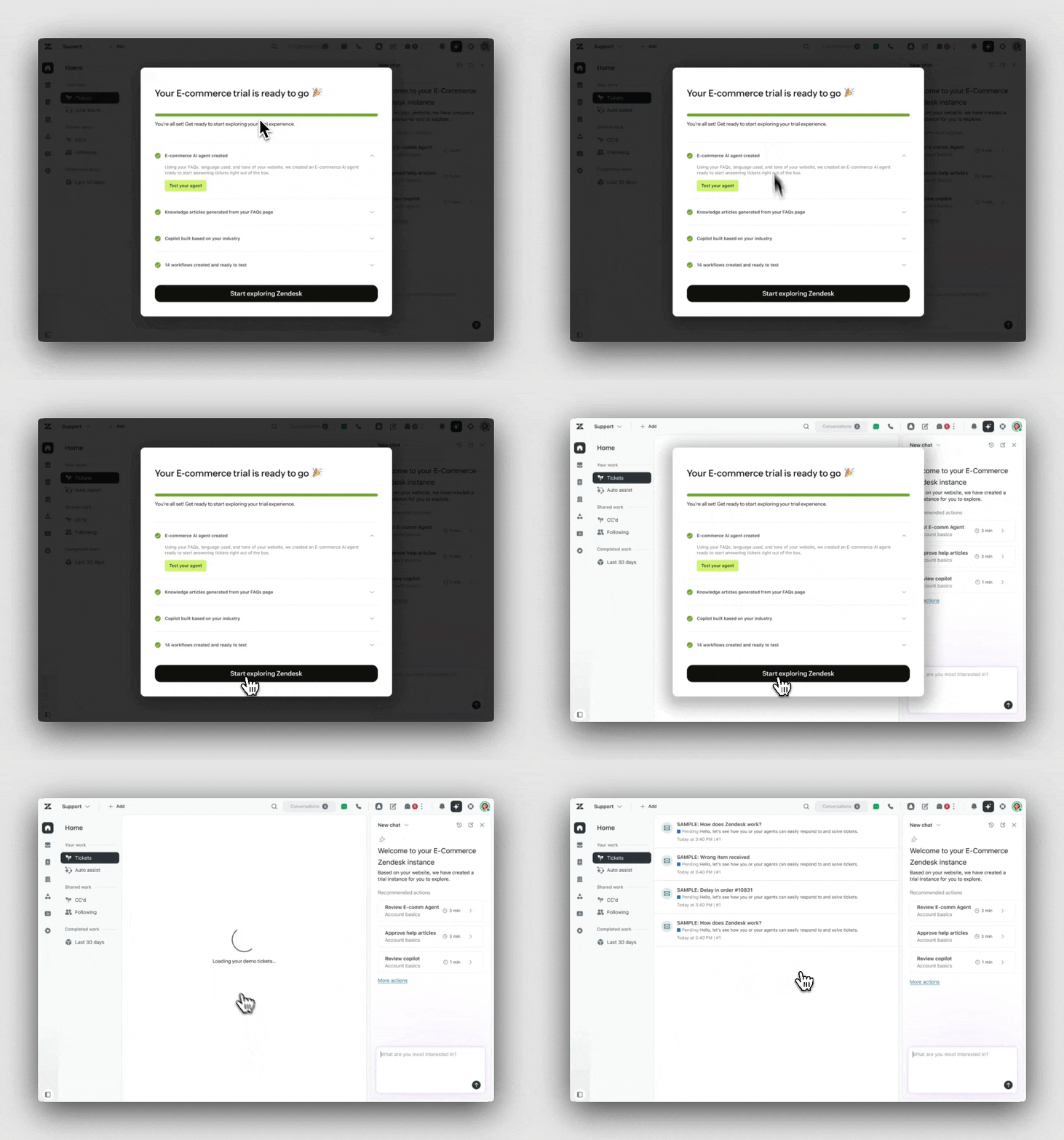
Before joining the adoption team, each feature team was creating their own onboarding patterns which created a disjointed adoption experience across our product.
Not only was I tasked with creating adoption expreriences for our core features, but also creating a framework that could be extended to other products outside the Core Support product.
Current adoption experiences left users to their own devices, we needed to ensure there was constant support for new and tenured customers alike.
Lead product designer
1 Accessibility engineer
1 Localization consultant
3 Frontend engineers
6 Backend engineers
1 Product manager
1 Design systems consultants
1 Product designer (me)
▫ This made the overall adoption experience feel disjointed and inconsistent, lack of one centralized place (in‑product tips, docs, training, launch guides, community etc.)
▫ No logic or system in place to govern when these ingresses or tooltips were shown. Collisions are frequent.
▫ Users had to jump between these experiences and stitch information together on their own.
▫ This led to long time‑to‑value, confusion, and “too many manual processes” for admins and teams.
▫ Each team creating their own adoption experiences means longer time to value for the product teams.
▫ Users have a hard time figuring out where to start setup.
▫ Often existing onboarding experiences just drive users to complicated admin setting pages.
▫ Setups aren't specific for what a particular customer might want to utilize Zendesk for.
▫ Existing flows focused on first‑time setup only.
▫ There was little structured support for ongoing adoption by new and tenured customers.
▫ Long‑term adoption of advanced features depended on “hero” admins instead of a unified, repeatable framework that could extend beyond Core Support to other products.
Every step of the onboarding and adoption journey needed improvment
No idea where to start, dropped off after intial setup with no guidance.

Now that they bought zendesk how do they move from trial to Go Live ready.
Wondering if they are taking full advantage of thier plan and if features are optimized.
Conducted multiple rounds of user interviews, both moderated and unmoderated to understand customer pain points, desired workflows, reasons for utilizing 3rd party apps, and feature prioritization.
8-10 admins
Small, mid level, and enterprise customers


A dedicated UXR resource was embeded on the team to help facilitate adhoc live interviews and ongoing diary studie.s
"Maybe just being able to go somewhere that shows you all of the things that you haven't done... like, ‘Oh, I haven't enabled this feature and this feature, but I have enabled this one.’ That might be nice... for Admins to be able to go in and see if there is anything that I'm missing out on.”
"I looked up on ChatGPT how to customize Zendesk because I wasn’t sure where to start. Something like this framework would’ve helped.”
"Even after a few months, it would be helpful if Zendesk recognized I’ve added more agents and suggested new automation ideas…Prompts are good…Then we can decide if it’s useful and act on it.”

No single reference point for a user to go when they need to know what to set up next.
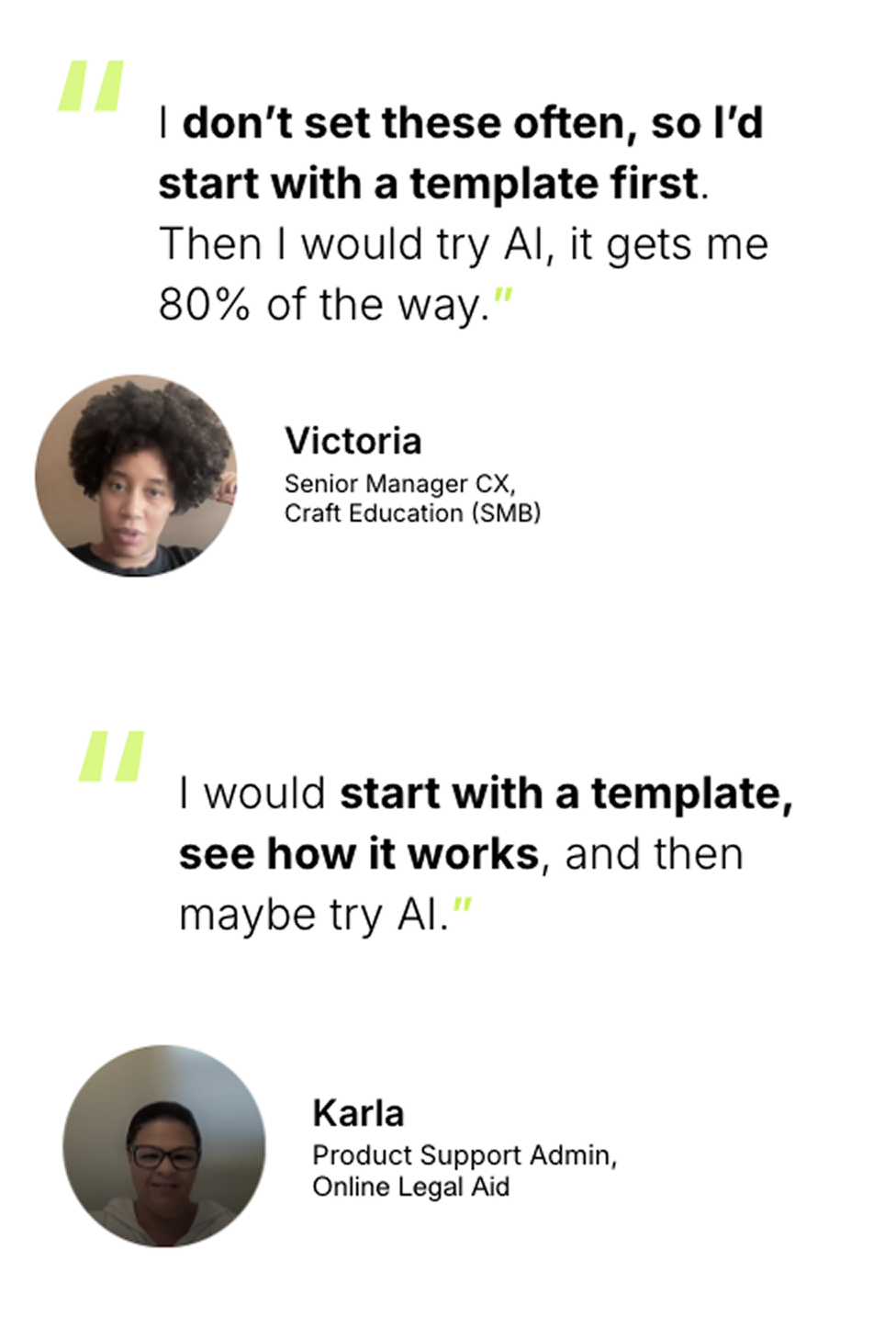
Templates offer a straight forward experience that users can leverage in order to get set up wuick while knowing it wont break anything in product.
More experienced users want more personalized recommendations based on their setup and current configuration.
These features shouldn't be telling users to set up features without explaining the value.
First we should aim to alleviate the top painpoints for our users then to start building the capabilities the 3rd party apps provide for our customers. This work will give us the foundation to truly improve upon their and competitors capabilities looking ahead.
Introduce the concept of simple set ups to new users that make getting set up with core features quick and easy. These should be introduced contextually and organically to users.
Create a system that acts as the backbone for introducing and keeping track of adoption opportunities. This platform can be extended to other product areas.
Not only should this framework be used to increase early onboarding and adoption, but a place users can return to for continued guidence no matter their Zendesk maturity.
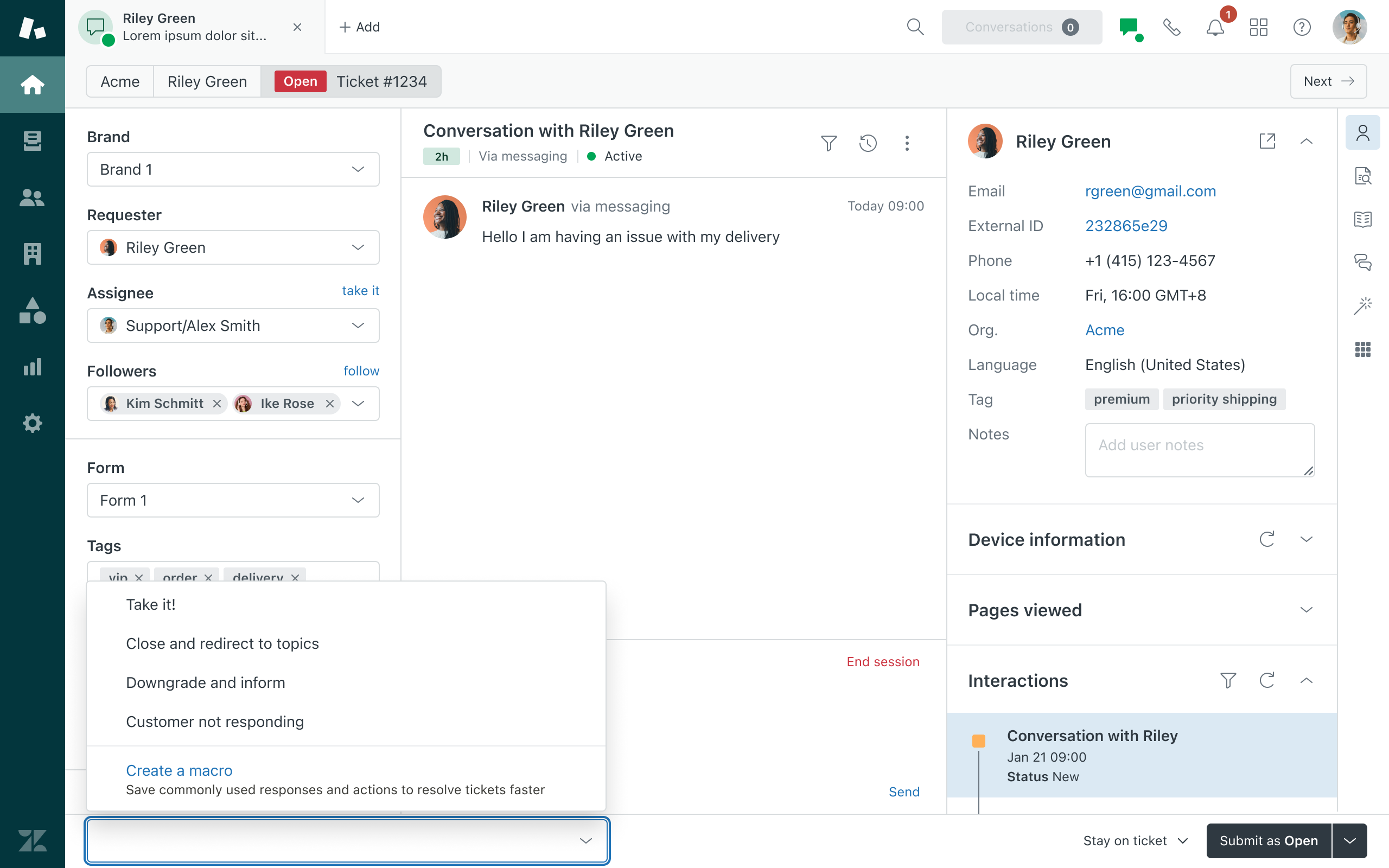
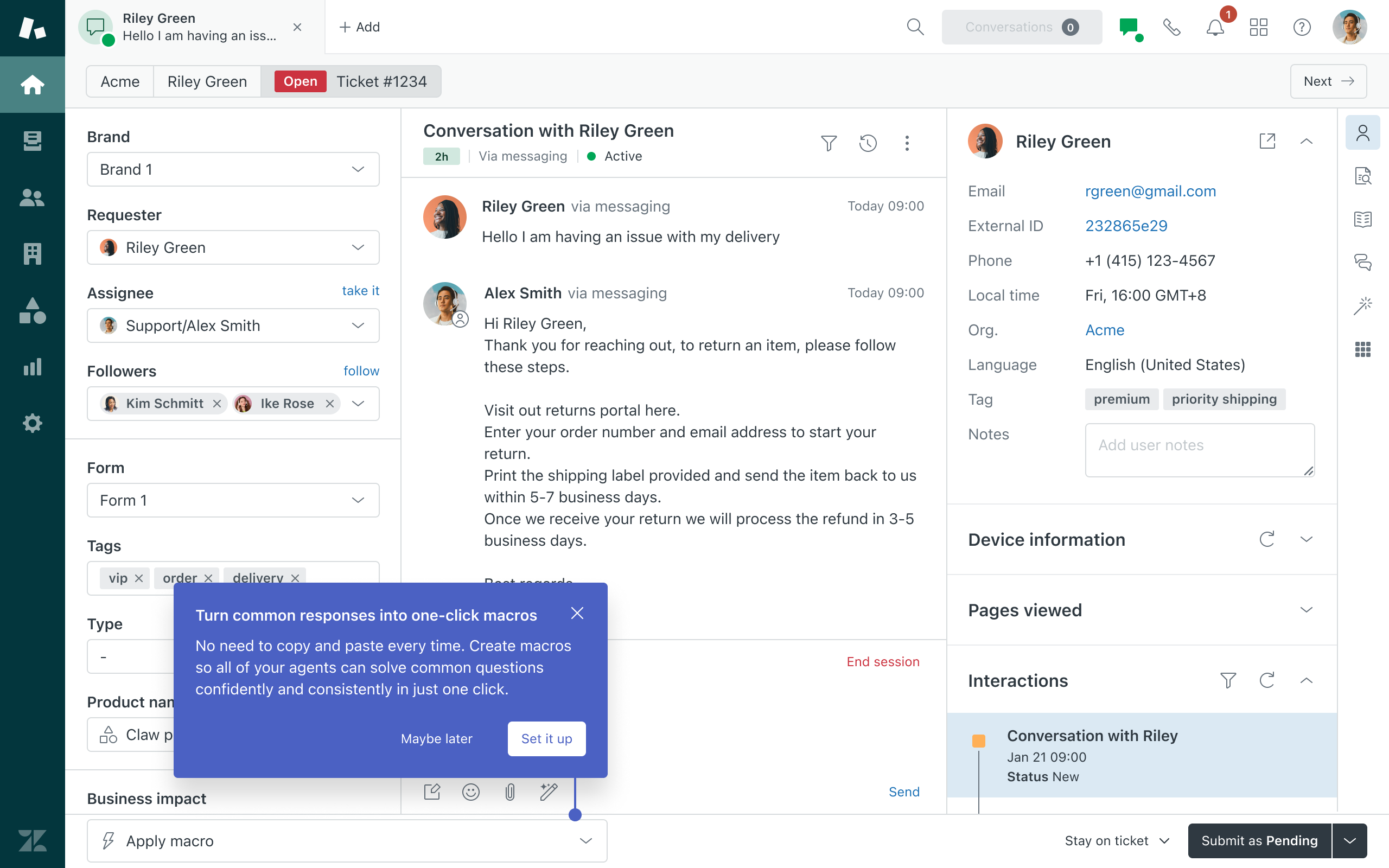
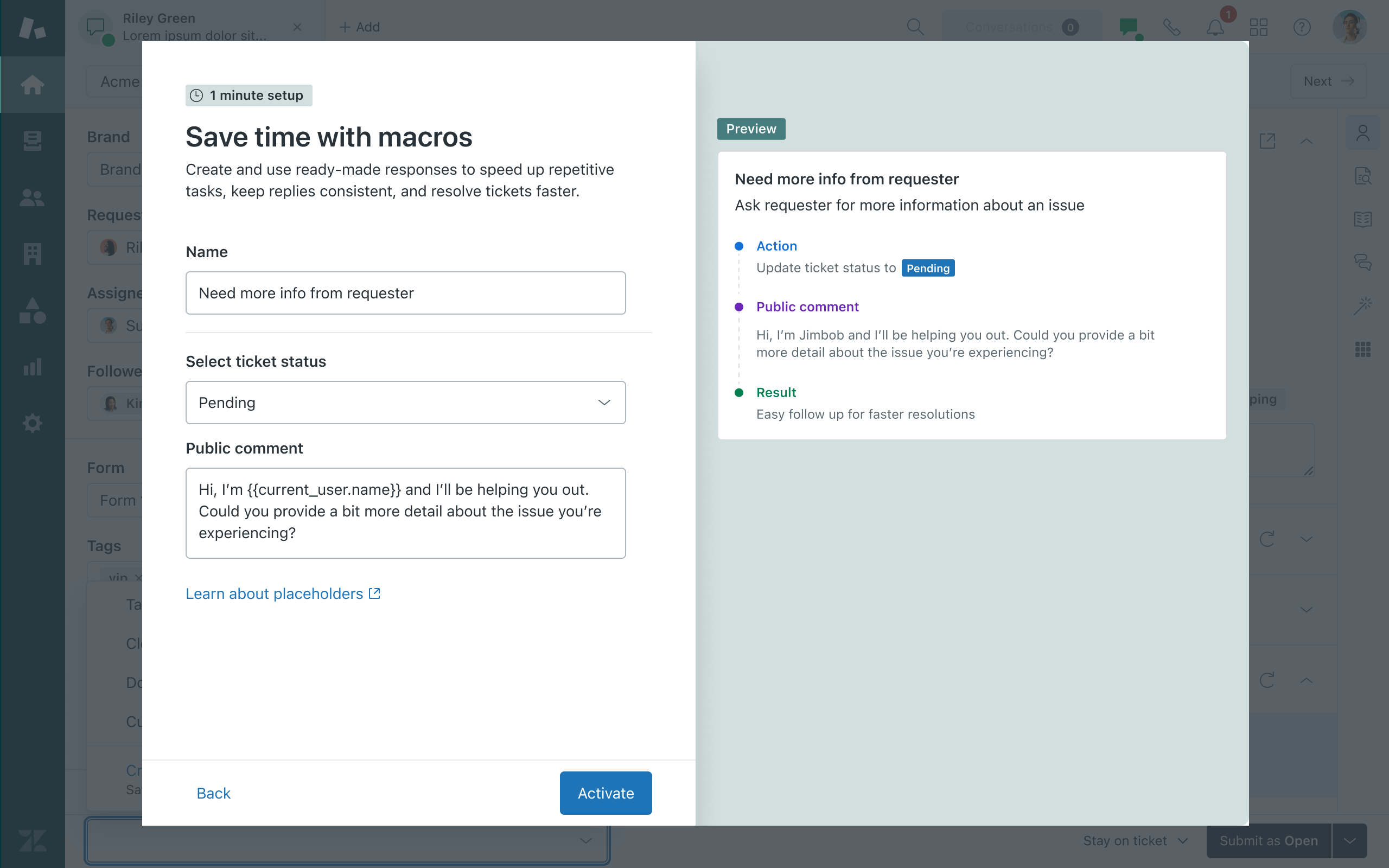
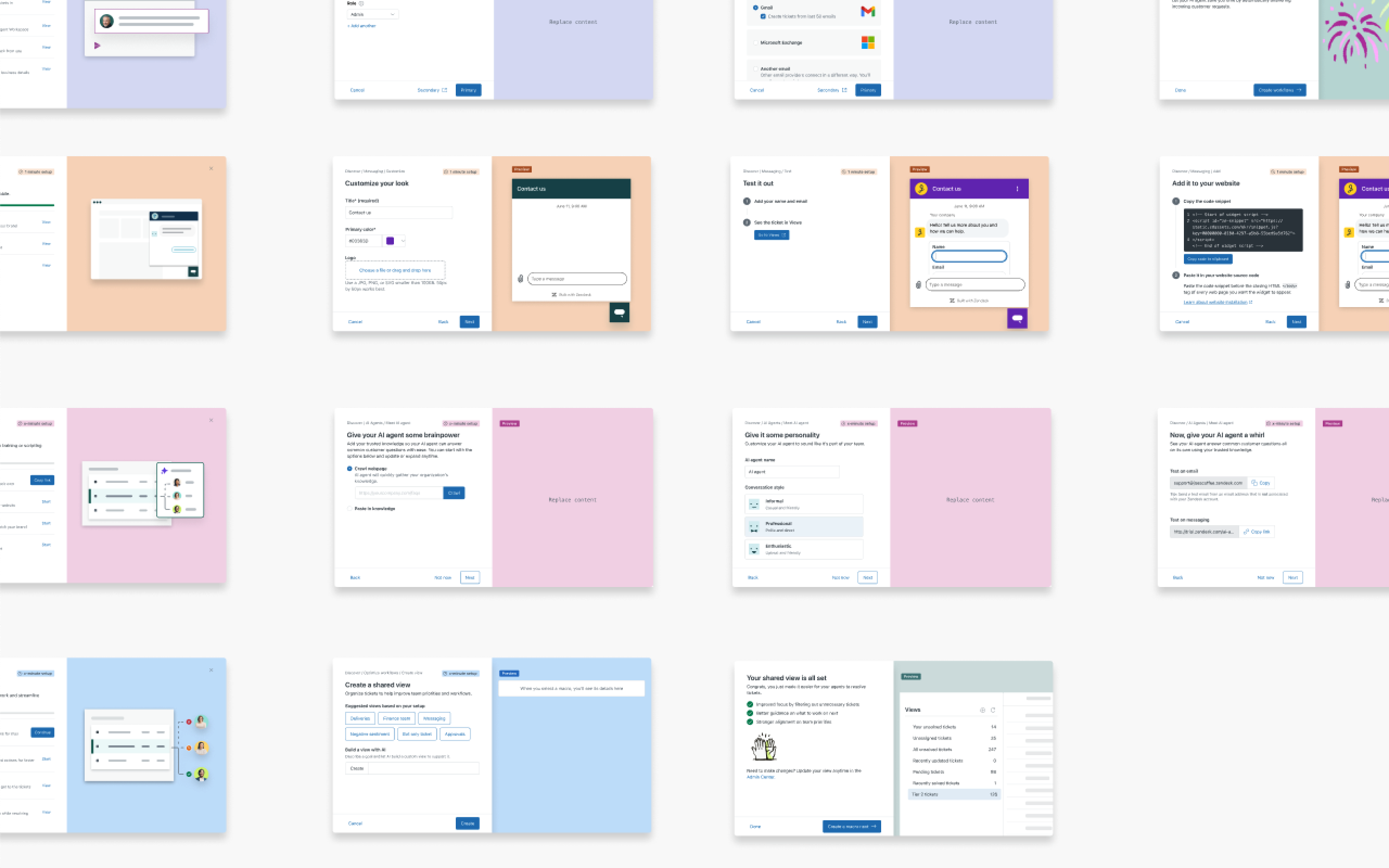
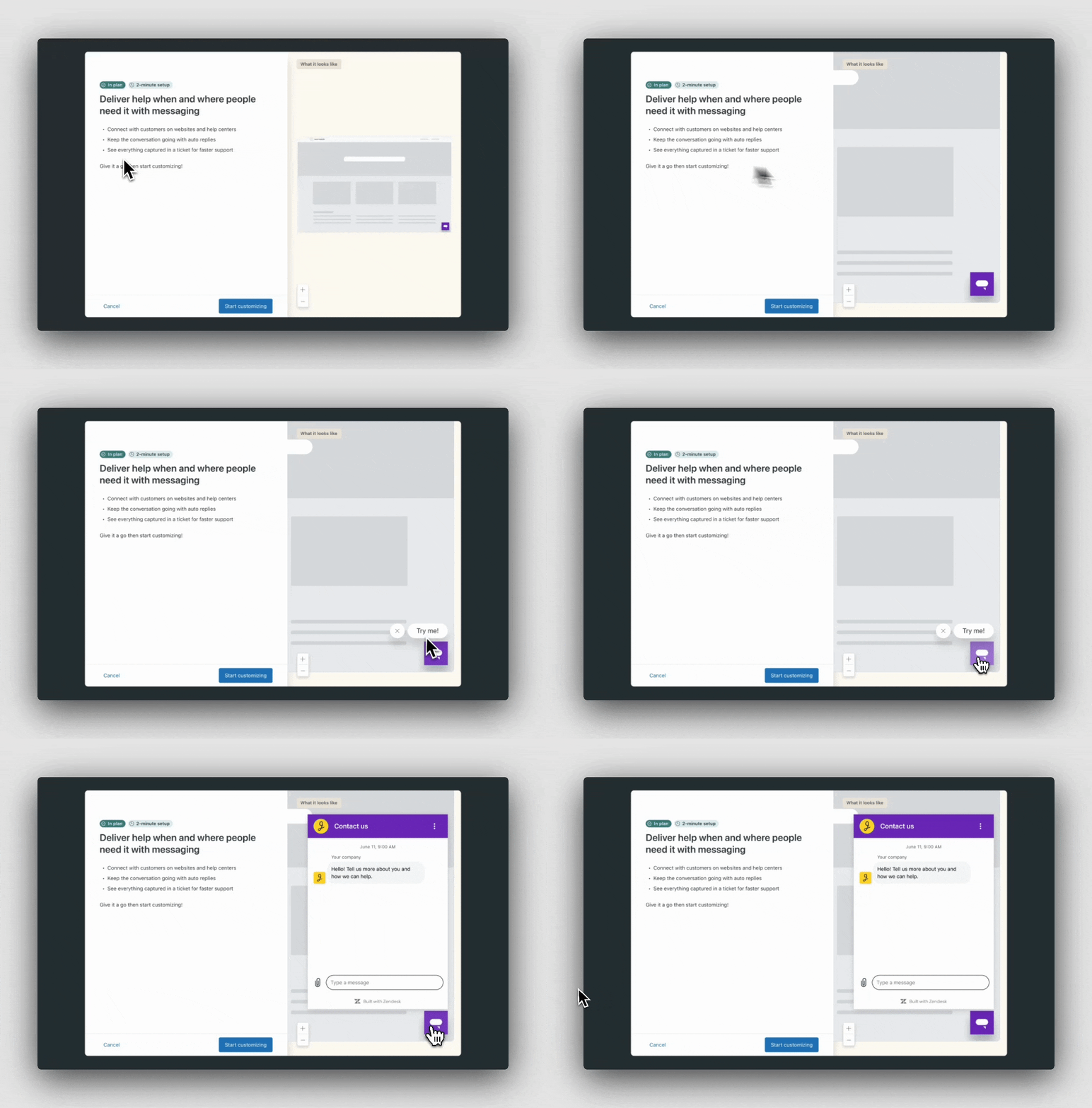
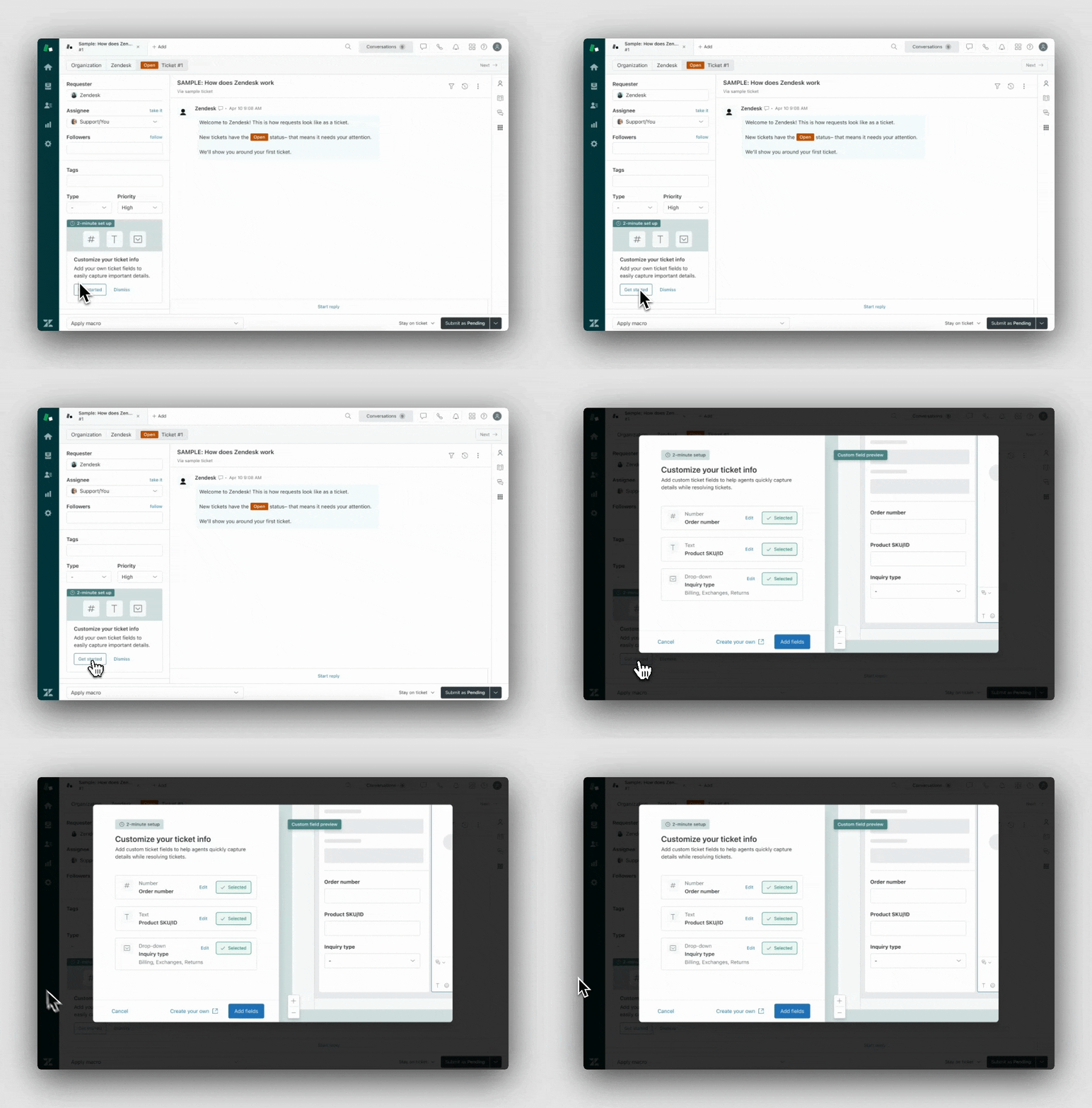
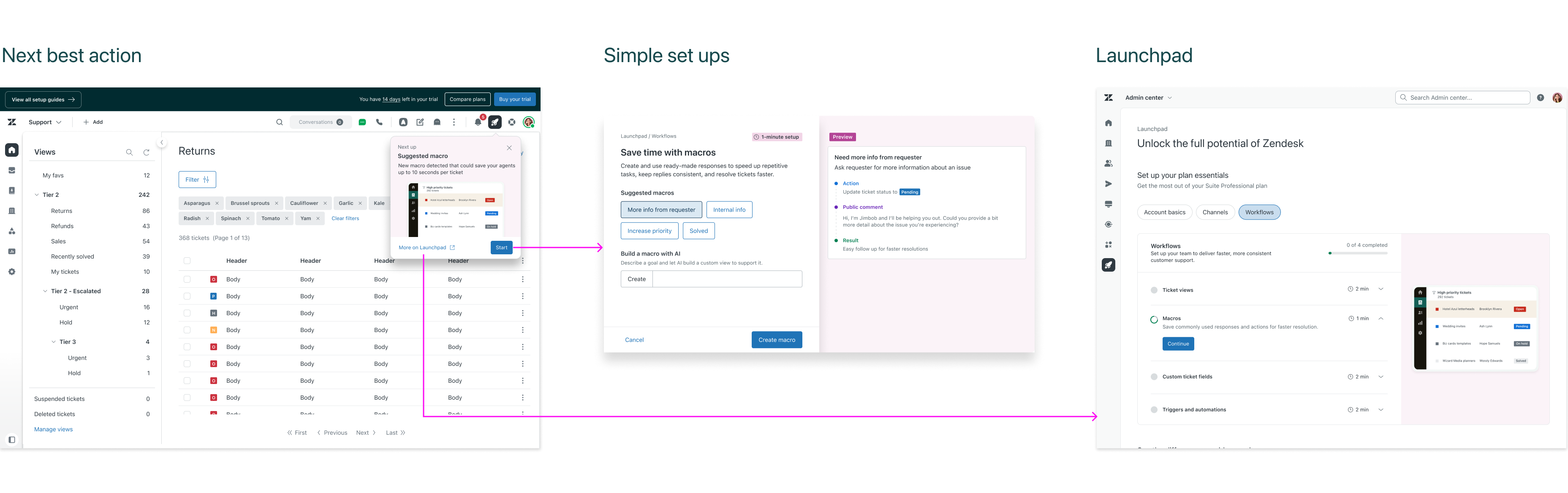
I went ahead and created an onboarding modal component along side our design systems team that could be used as a way to quickly set up complex features. These acted as an abbreviated or templatized set ups for users to get introduced to critical capabilites. The goal was to introduce these contextually so they could be discovered as a user explores and uses Zendesk.
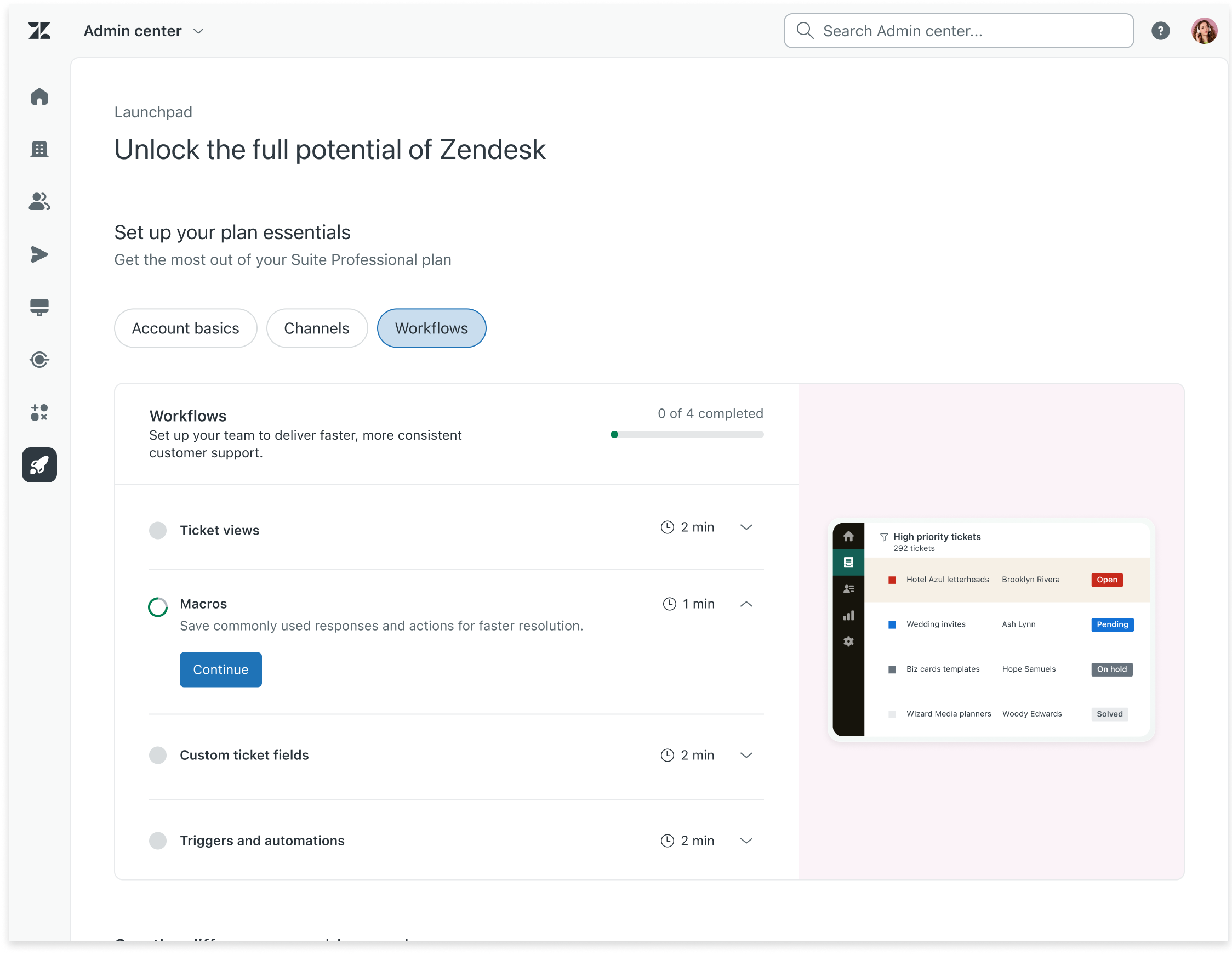
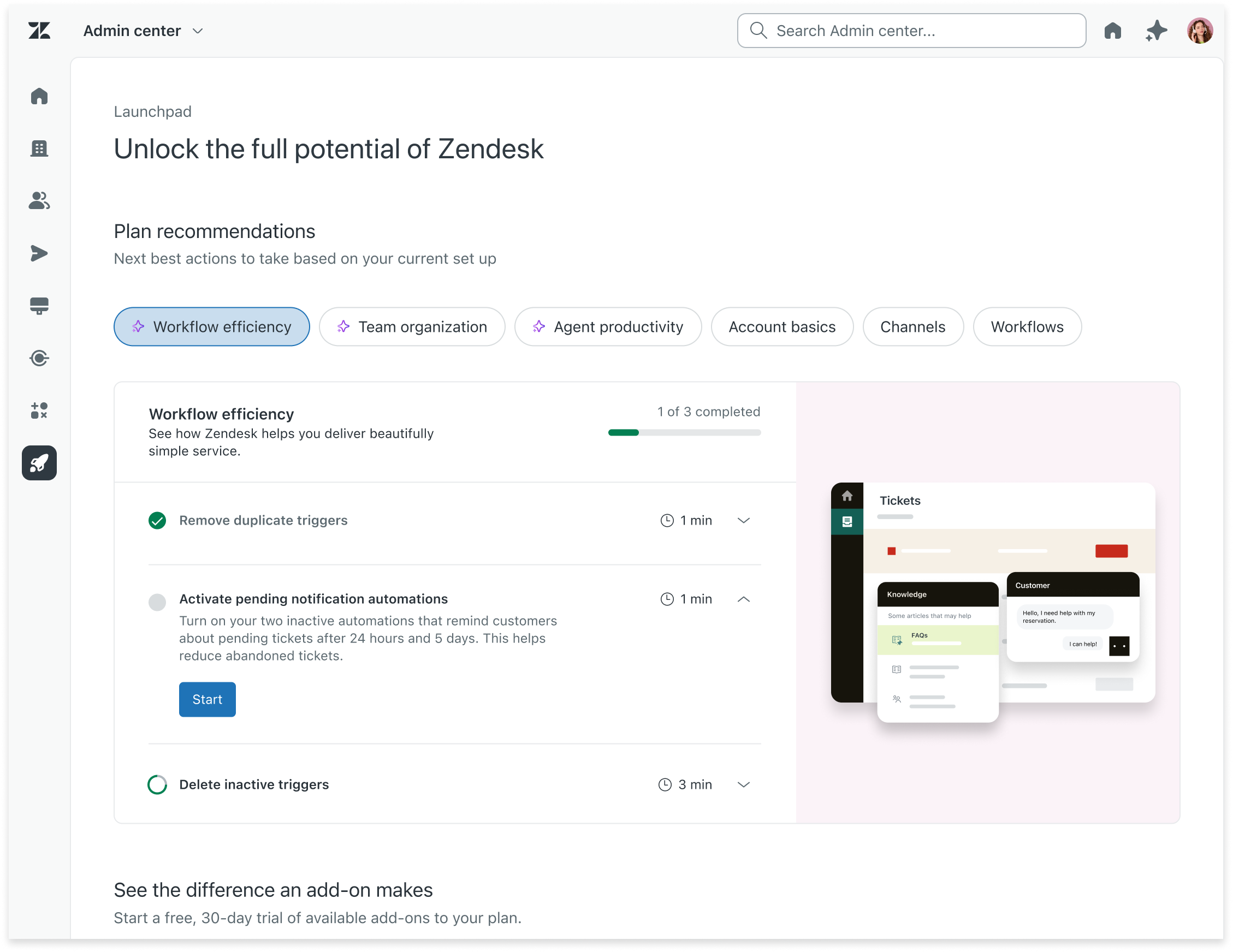
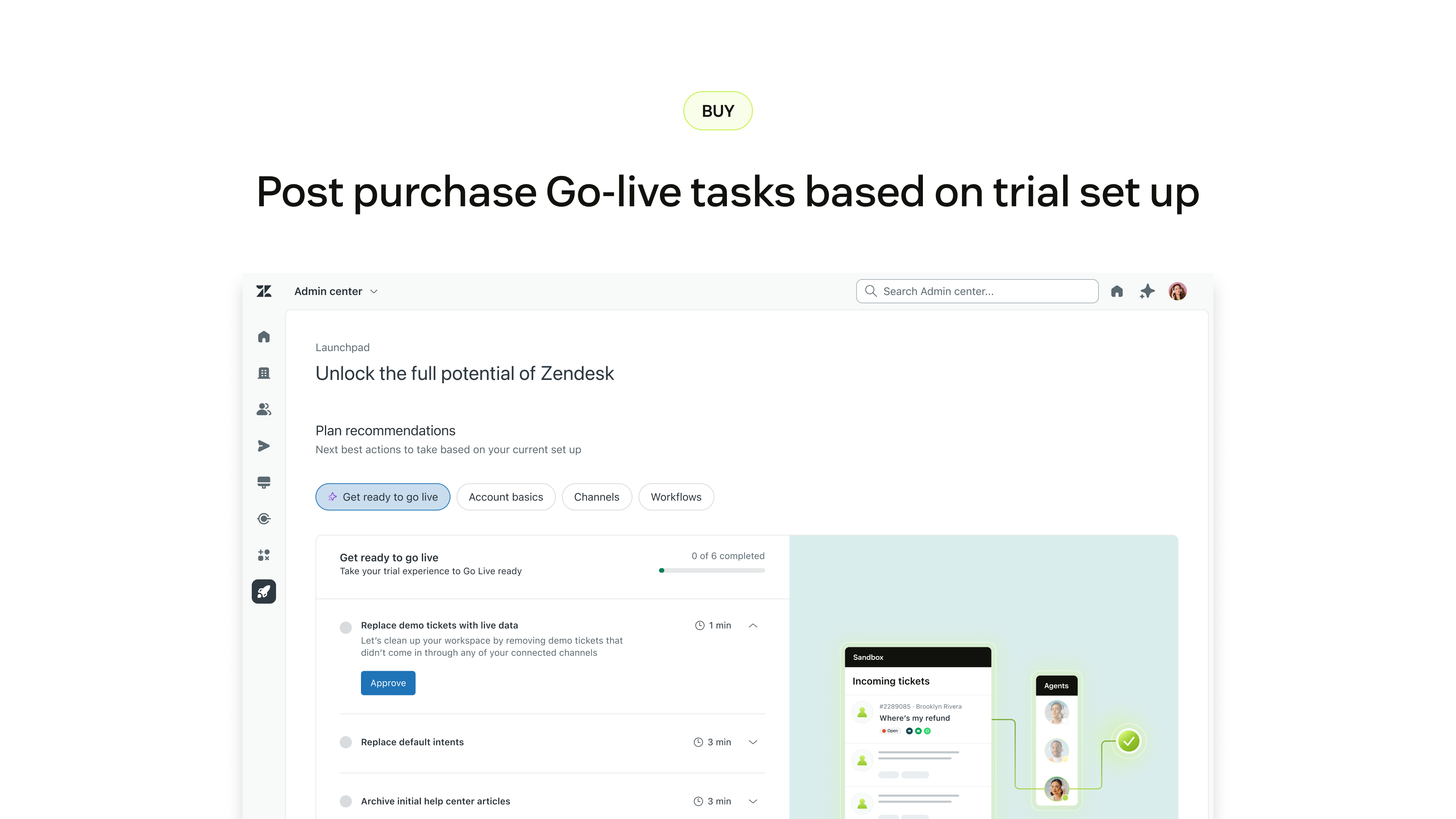
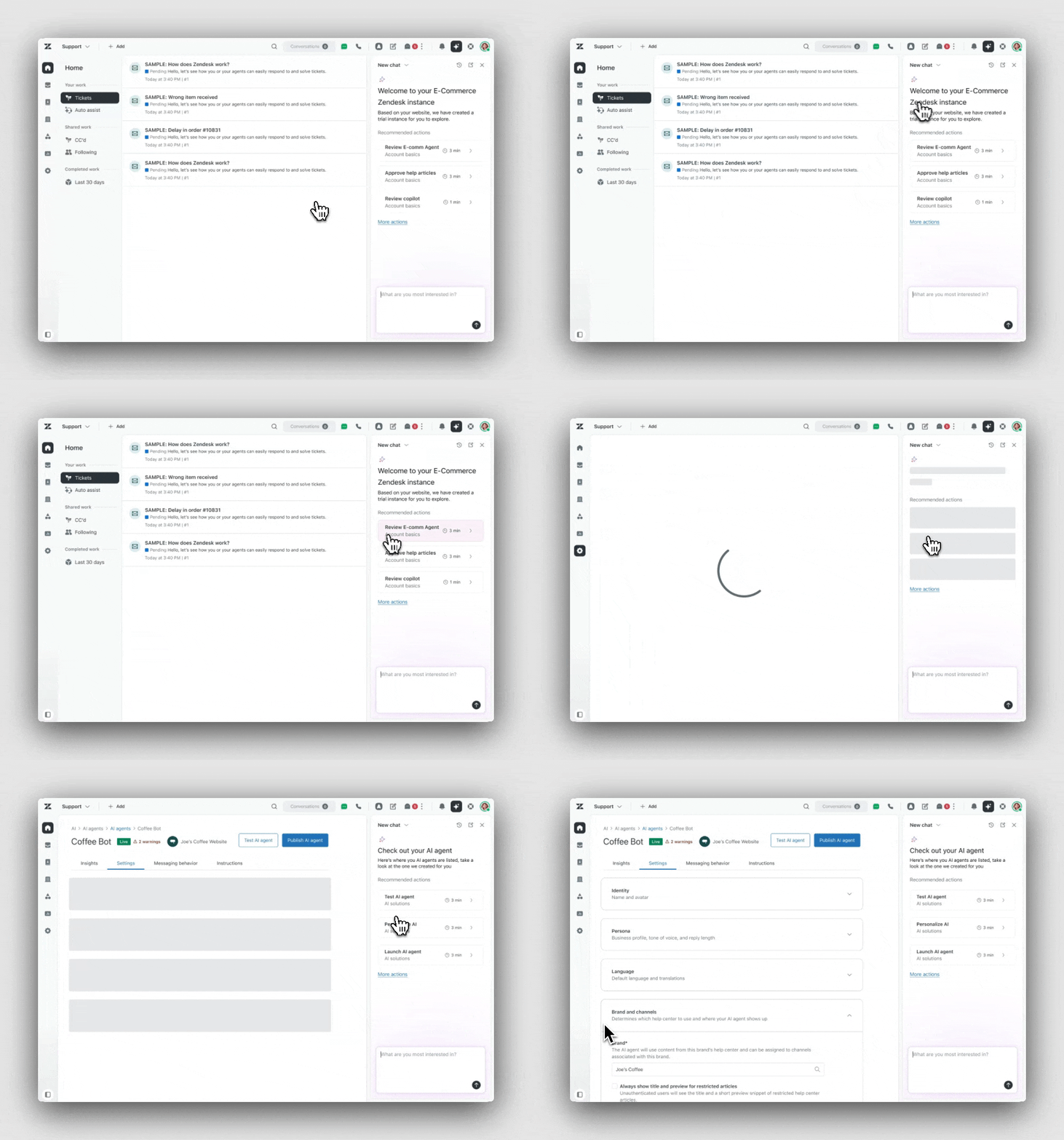
A common complaint was it was difficult to track adoption or ifa user is taking full advantage of their plan. Launchpad created a centralized place to see all set ups available to a user. We also created an "Next best action" extension so this could be accessed from anywhere in the product. These tasks and categories were only focused on initial setup at launch.
One centralized place for all set up tasks available to a user. Organized into tasks and categorizes users can track adoption across key features included in their plan

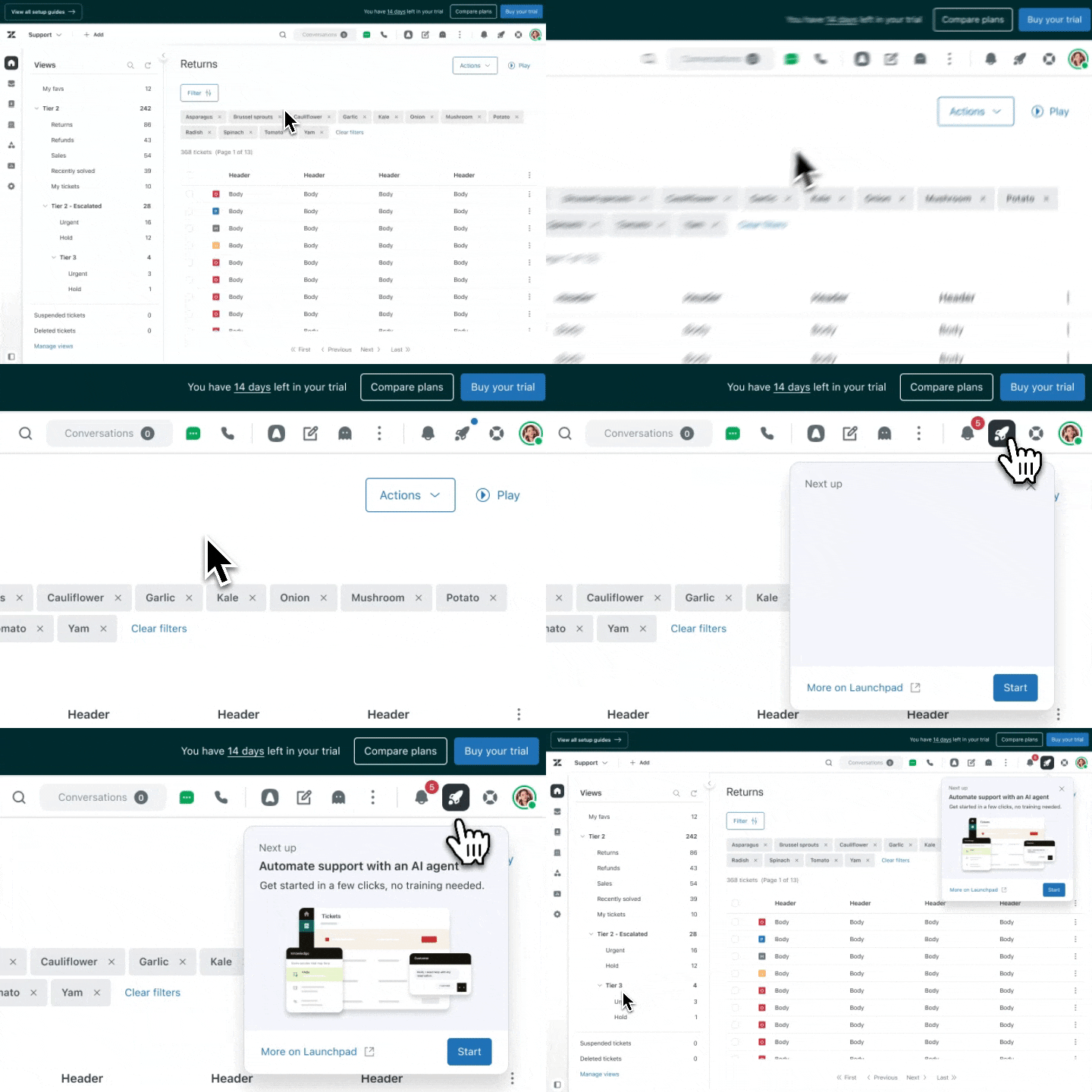
A flyout present available in the navigation to give users an ever present way to set up the Next Best Task available to them at any given time, reducing tooltip collisions.

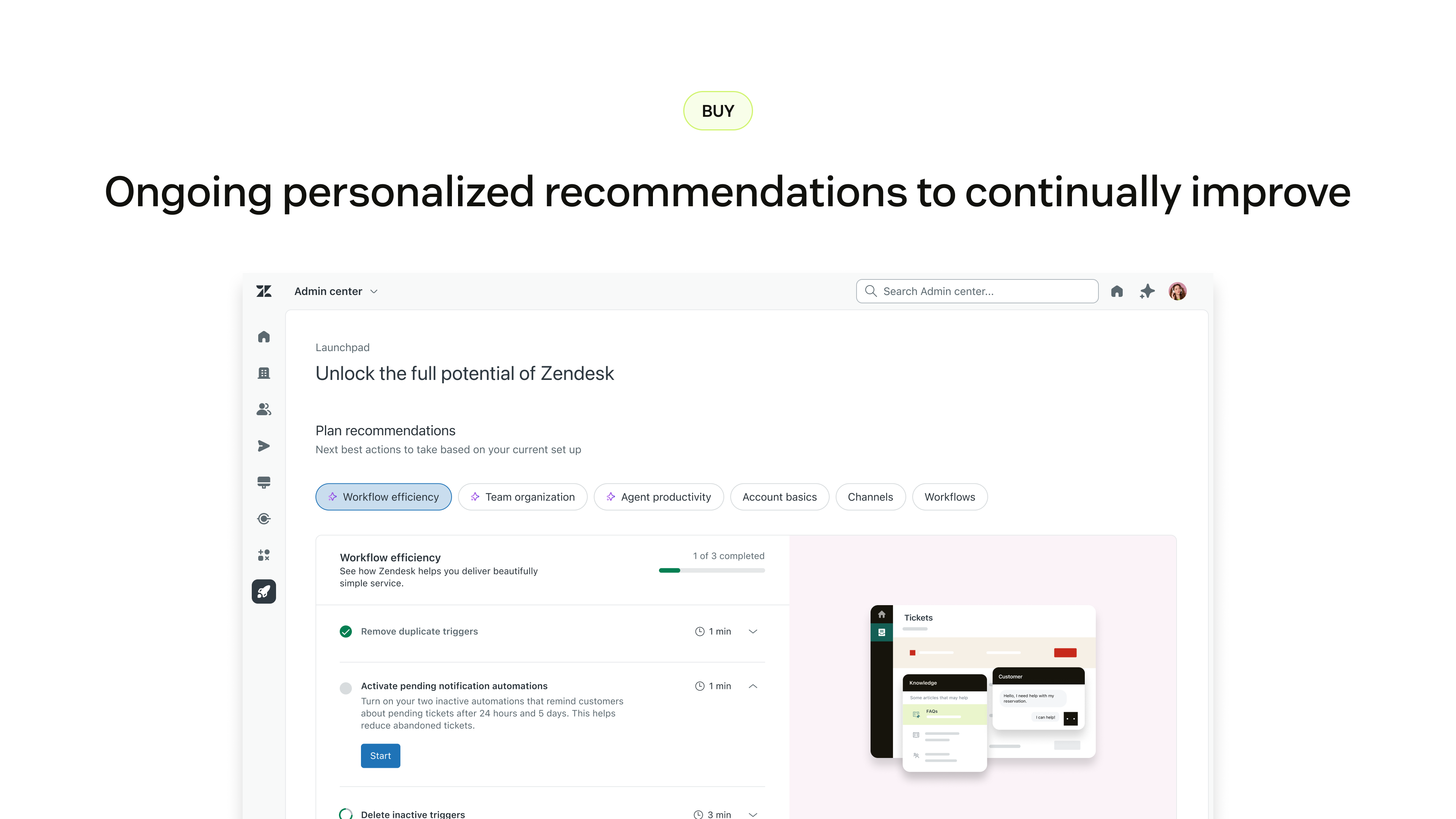
With adoption and onboarding taken care of, the last piece to add was ongoing support for users to continue leveling up inthe Zendesk expereince as they matured.
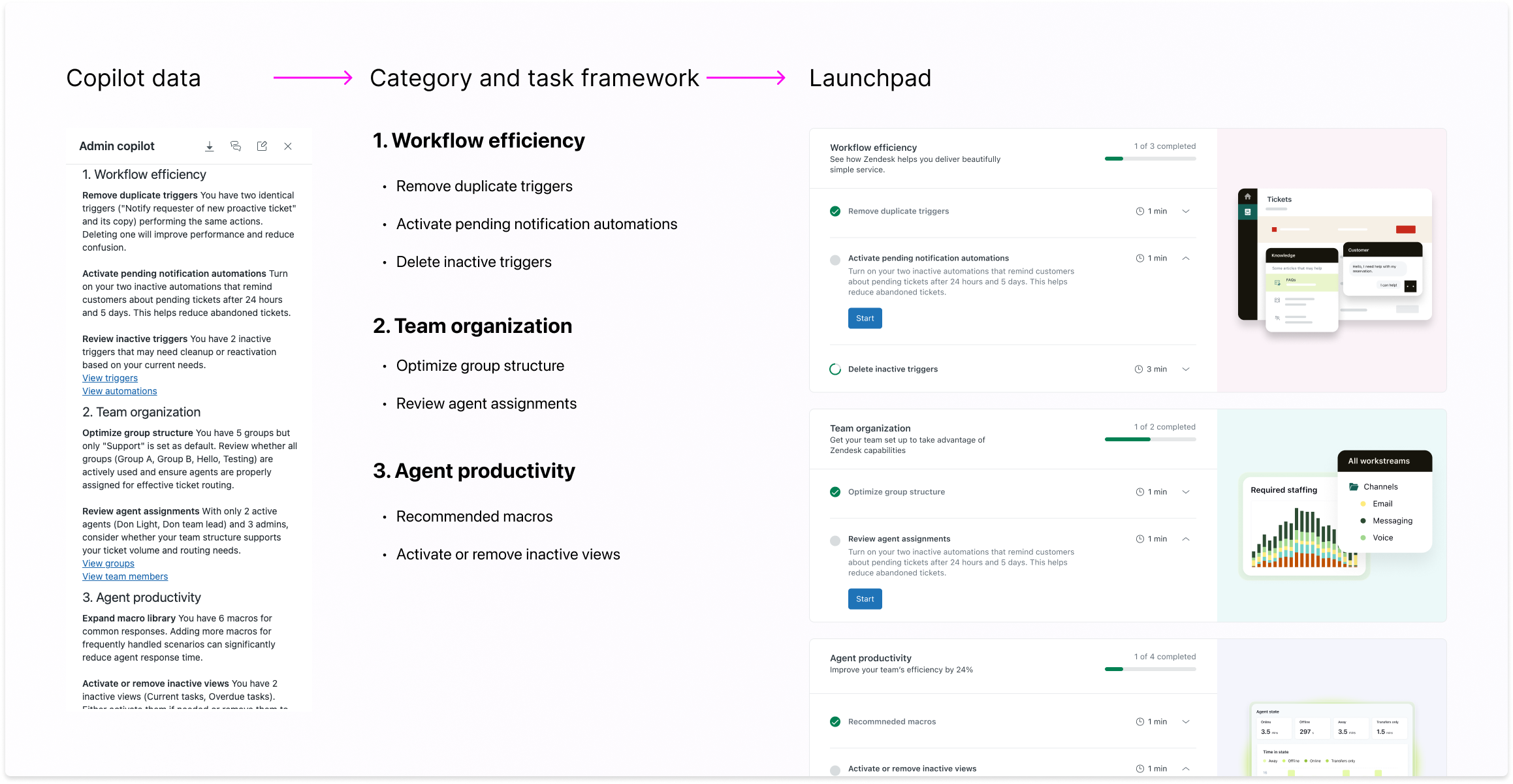
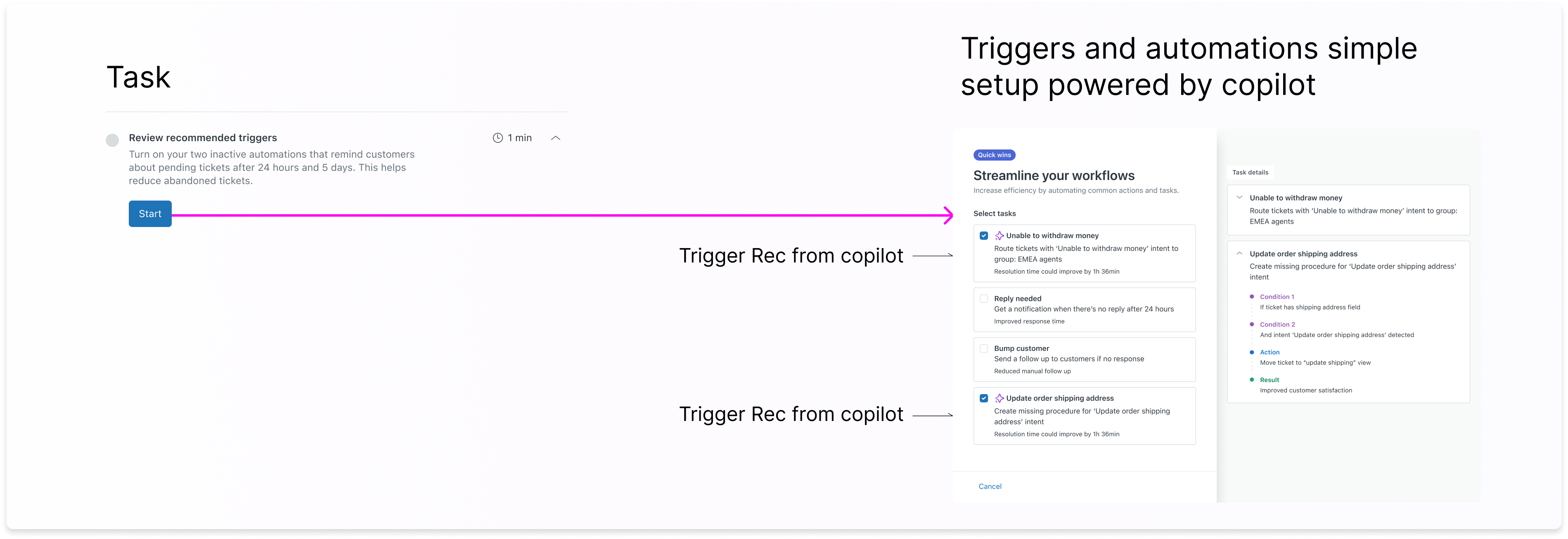
In order to create a personalized and relevent experience for each instance, we partnered with our AI team on using our internal AI to be the brain behind recommneded tasks and catgories


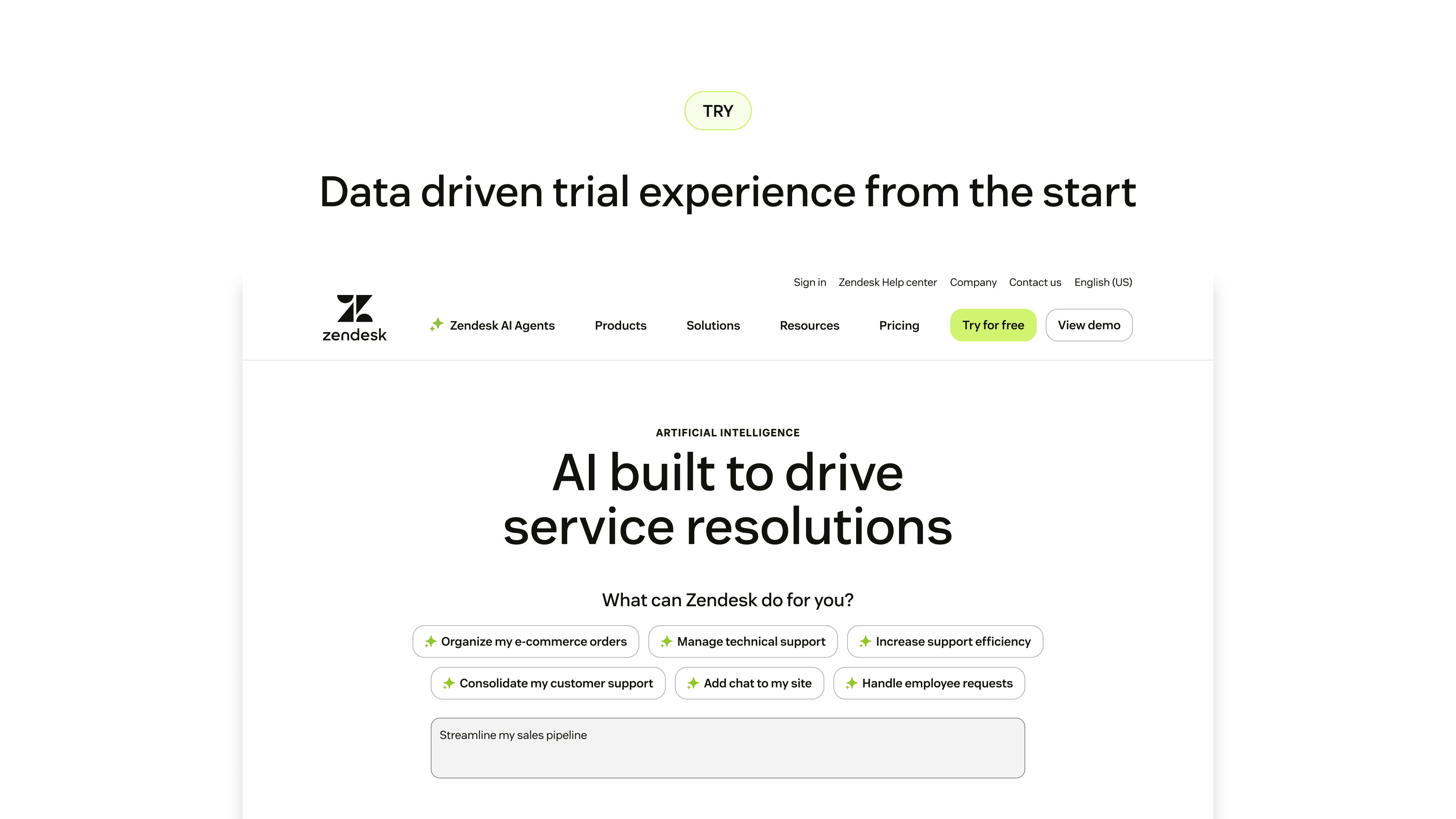
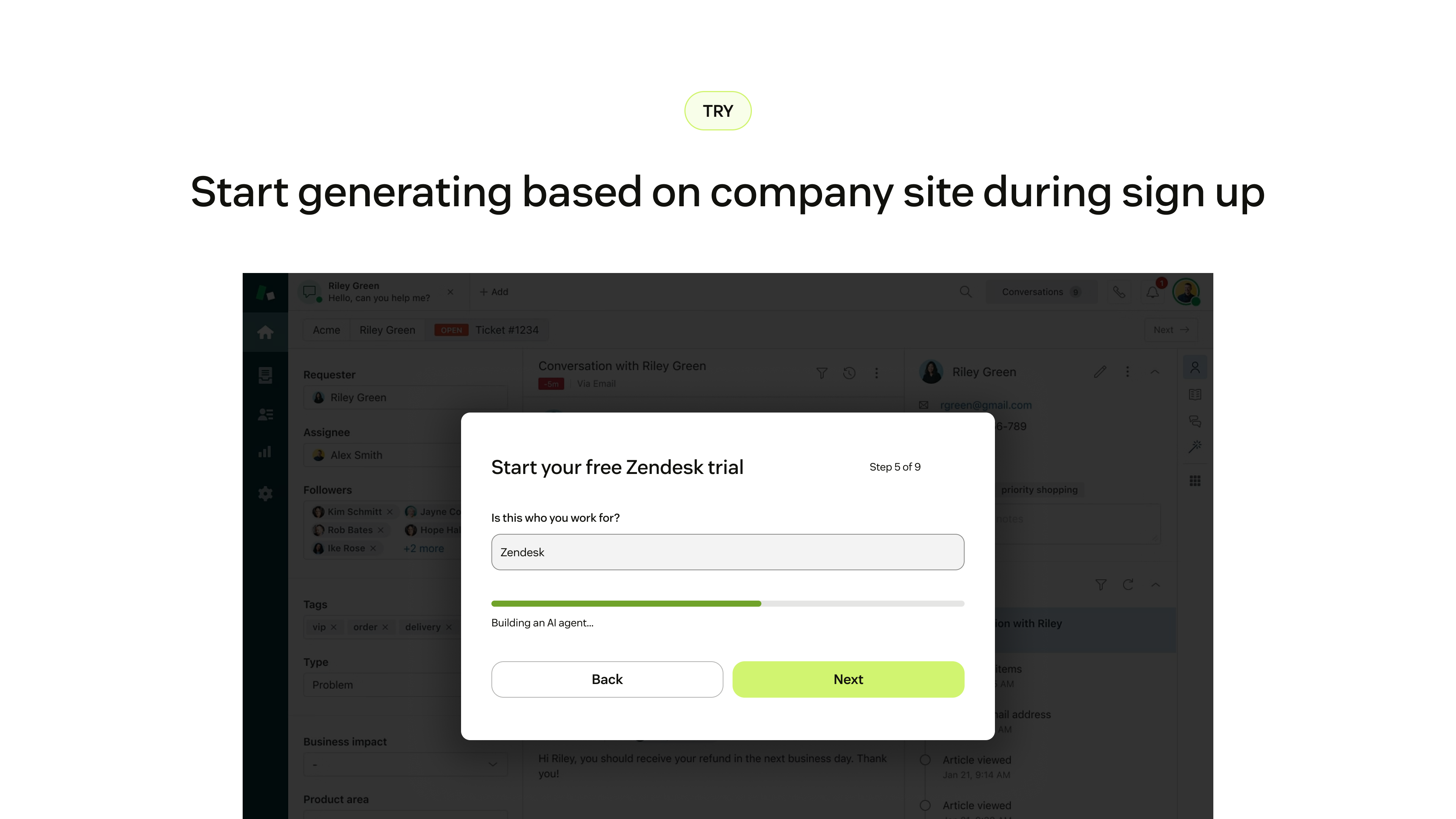
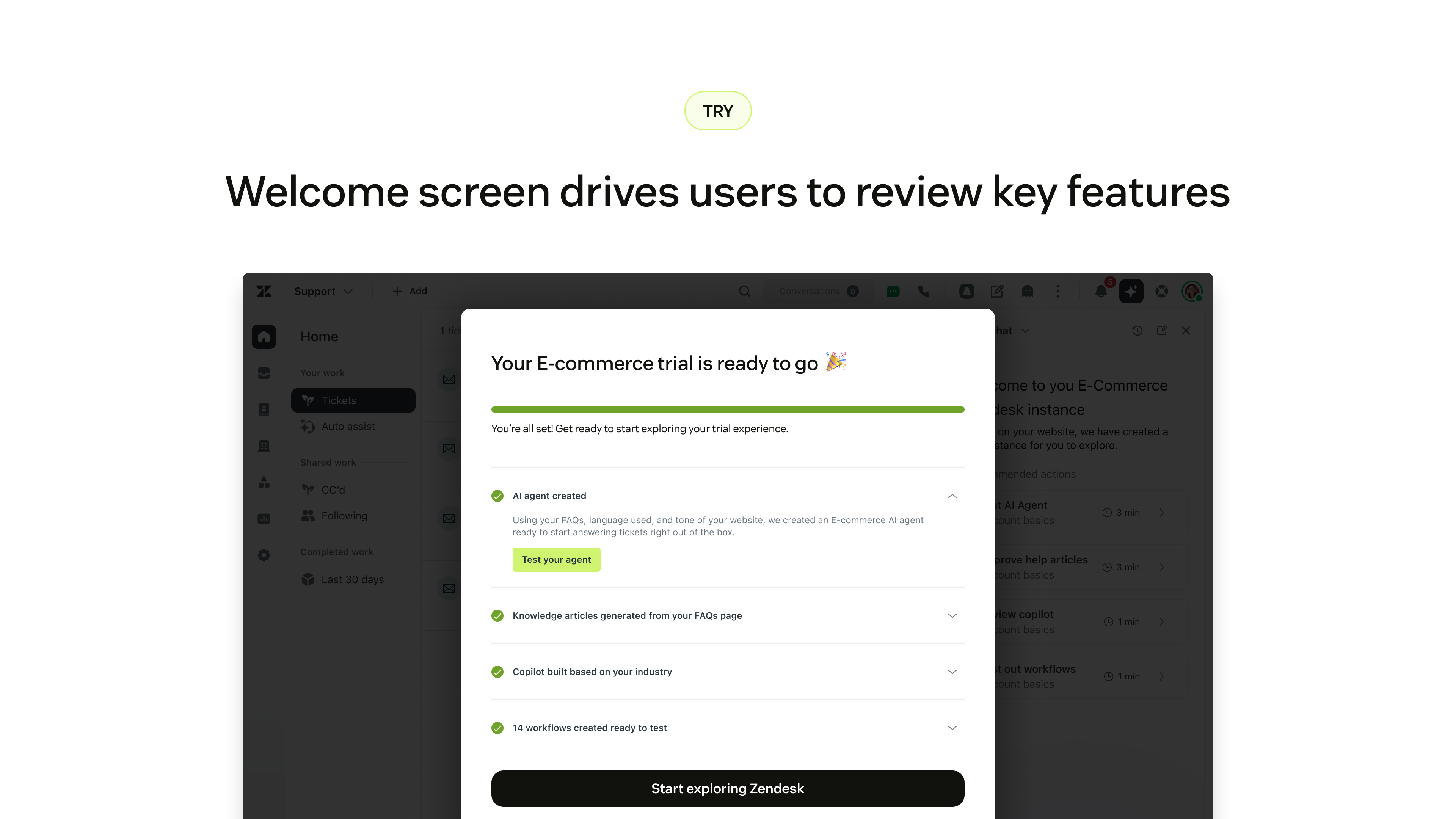
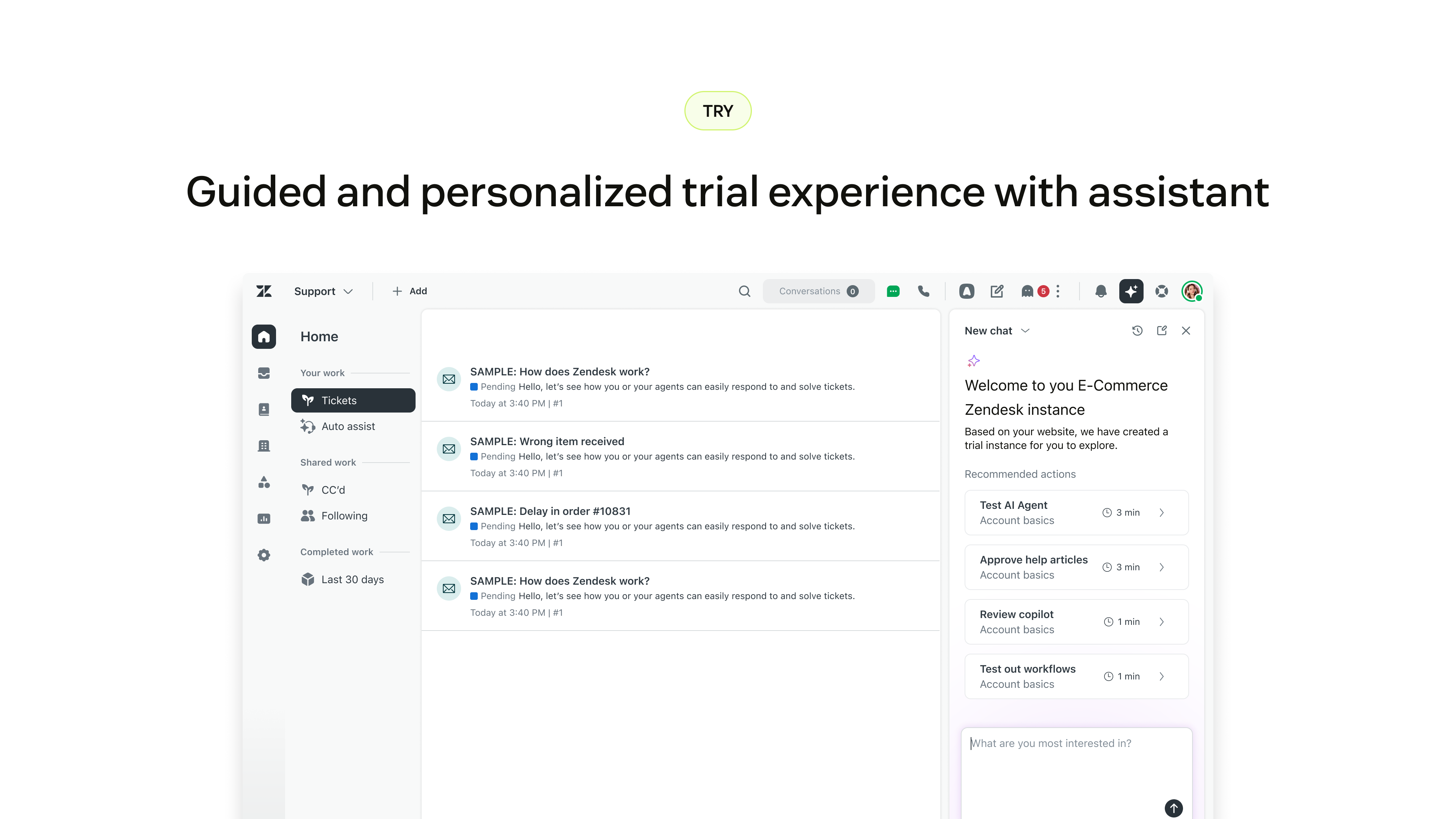
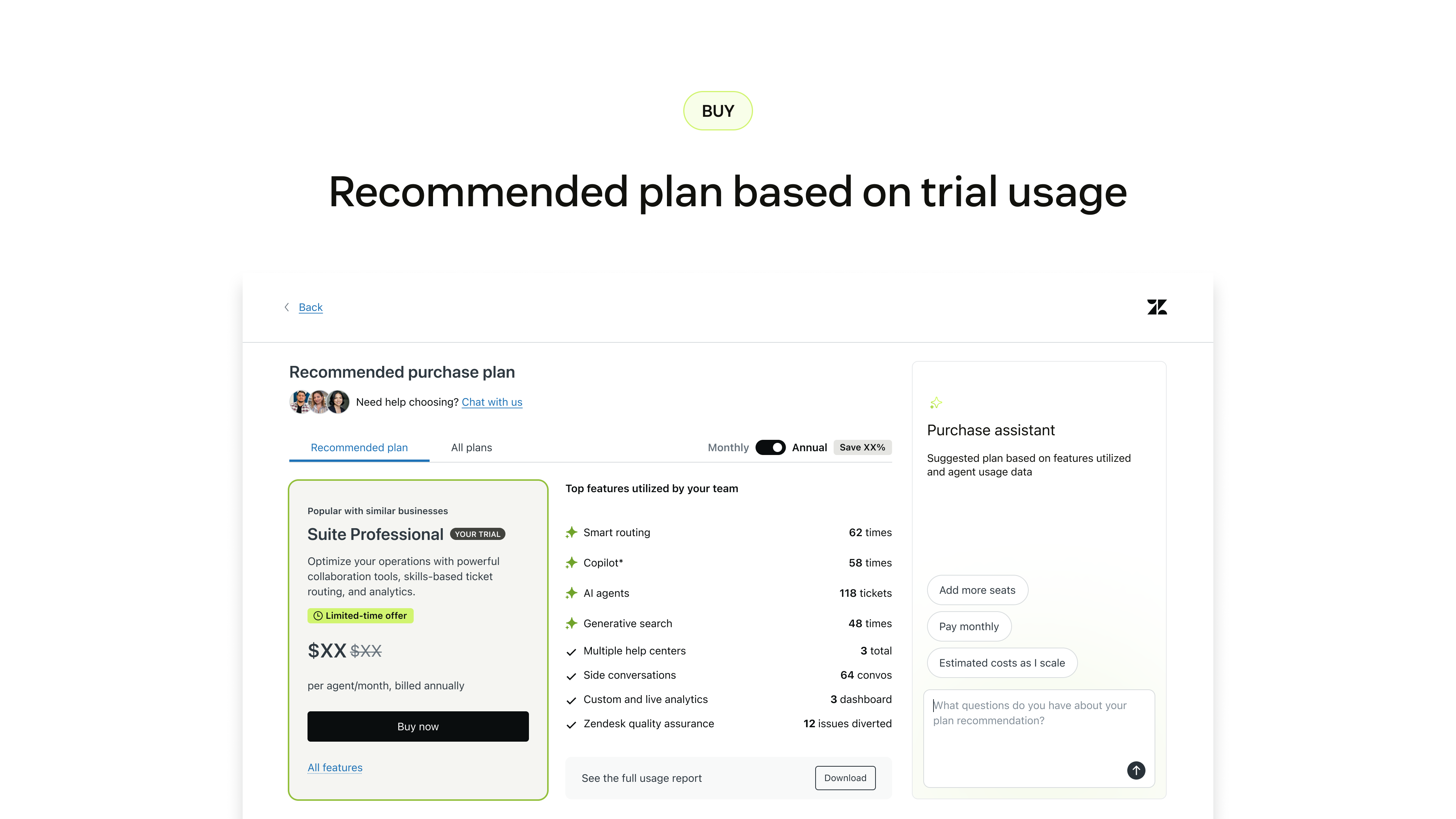
Beyond Launchpad, Zendesk Copilot can be integrated into every step of the Try to Buy experience in Zendesk. Ensuring only personalized and relevant information are presented with users throughout their journey.
Getting onboarding into the adoption space while taking on such a large project brought challenges of not only understanding stakeholders and new teammates, but also the product space as well.
Trial, Adoption, and Growth are all separate teams with different priorities. To create a consistent experience across all three while not interfering in their deadlines was difficult.
Weekly syncs on this project with Senior directors and VPs made it difficult to maintain progress while prepping for consistent presentations.
This system was built to not only be used in the Support product but other (QA, Knowledge, Workforce Management). Consistent ongoing effort to prove its value.
With the advent of copilot, a way where users can find any infromation they want or set up workflows, thorugh LLM, threatened our entire project.
Creating new components and systems means constant communication with accessiblity and design systems teams to ensure they agree and are onboard with direction.
Initial releases recieve promising feedback, but there's still work to be done in terms of showing value and personalization.

I like seeing 3 of 5 done. It makes it feel like I’m actually getting somewhere. It also felt more accurate than just some score that stays stuck at 90%.”
I have configured like 10% of what Zendesk can do, and I know Zendesk can do a lot more. I just find it hard to get a grip on all of it…what’s actually useful for us right now. I don’t want a list of features — I want direction.”
These suggestions are useful when they feel like ‘trusted next steps’, not arbitrary requirements.”
General feature adoption
Self service purchase rate
60 day Go-live rate
of users visit Launchpad
Of users engage with a task
of users adopt through simple set ups